

The ASP.NET Core Authorization Checklist for .NET Teams
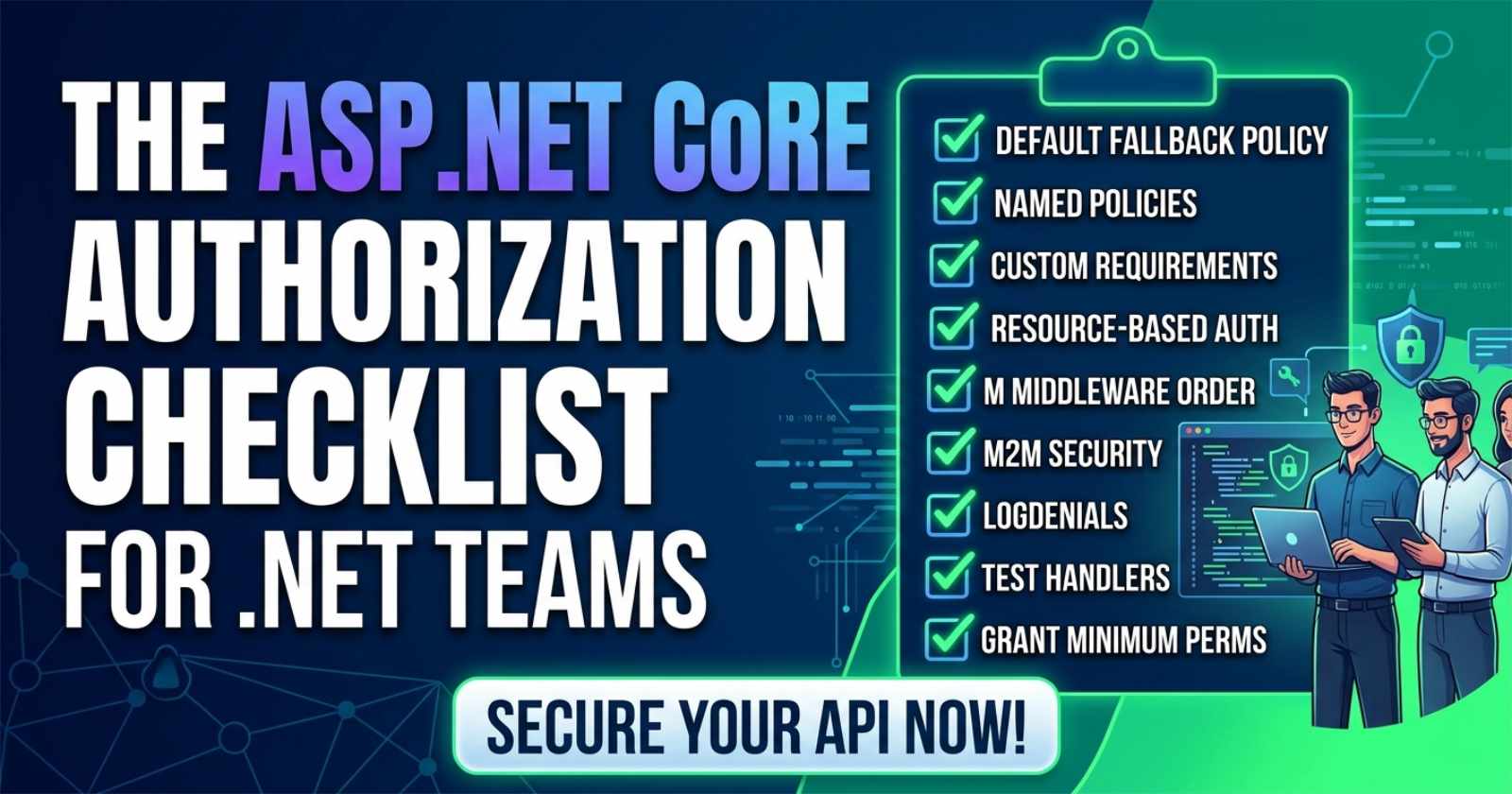
Authorization is one of those things that feels solved until it isn't. Teams ship a working JWT setup, add a few [Authorize] attributes, and assume the job is done — only to discover much later that role checks are inconsistent, resource ownership is never verified, and service-to-service calls are bypassing auth entirely. The asp.net core authorization checklist below gives every .NET team a structured way to audit what they have and close the gaps before they become incidents.
If you want to go beyond the checklist and see these patterns wired into a complete production API — with policy handlers, resource-based checks, and M2M auth all working together — the full implementation is on Patreon, annotated and ready to adapt for your own system.
Authorization in isolation is understandable. Seeing how role policies, resource-level checks, and API key middleware interact inside a single production codebase is what actually makes the decisions click. Chapter 8 of the ASP.NET Core Web API: Zero to Production course covers exactly that — walking through every authorization layer inside one connected API, with source code you can run immediately.

Why Authorization Fails in Production
Most authorization failures are not caused by the absence of controls — they are caused by controls applied inconsistently. A team might use [Authorize(Roles = "Admin")] on some endpoints, named policies on others, and nothing at all on a handful of internal endpoints that were "only for testing." Over time, these inconsistencies become exploitable.
The checklist format works well for authorization because the failure mode is usually omission, not misunderstanding. Teams know what to do — they just need a reliable way to verify it is actually done everywhere.
The Checklist
✅ 1. Register a Default Fallback Policy
Every API should require authentication by default. Rather than placing [Authorize] on each controller or endpoint individually, register a fallback policy at the application level using AddAuthorizationBuilder. This means forgetting to add [Authorize] to a new endpoint does not silently open it to unauthenticated callers. Endpoints that must be public are then explicitly opted out with [AllowAnonymous].
This one control closes entire classes of accidentally public endpoints.
✅ 2. Use Named Policies — Never Inline Role Strings
Hard-coded role strings scattered across attributes ([Authorize(Roles = "Admin,Manager")]) are a maintenance and audit nightmare. Define authorization requirements as named policies in a central location — typically an AuthorizationPolicies static class or similar. Each policy gets a clear name, and the role membership or claim logic lives in one place.
When a role is renamed or a new requirement is added, the change happens once. When you want to understand what "ContentEditor" can access, you look in one file — not across forty controllers.
✅ 3. Write Custom IAuthorizationRequirement for Non-Trivial Logic
Built-in helpers like RequireRole and RequireClaim cover simple cases. Any authorization logic that needs database access, time-windowed conditions, or multi-claim evaluation belongs in a dedicated AuthorizationRequirement and AuthorizationHandler<T> pair.
This keeps authorization logic testable in isolation — you can write unit tests against the handler without spinning up the full request pipeline. It also makes the intent explicit: MinimumSubscriptionTierRequirement is far more descriptive than a chain of claims comparisons inline in a controller action.
✅ 4. Apply Resource-Based Authorization for Ownership Checks
A policy check verifies what a user is allowed to do in general. Resource-based authorization verifies what a user is allowed to do with a specific record. The two serve different purposes and both are necessary in most real applications.
Use IAuthorizationService.AuthorizeAsync(user, resource, policyName) at the handler or service layer when an action depends on who owns the resource — not just what role the caller has. An Orders endpoint might require authentication (policy) and additionally require that the authenticated user owns the specific order being modified (resource check). Skipping the resource check is how BOLA vulnerabilities appear.
✅ 5. Separate Authentication from Authorization Middleware Position
UseAuthentication() and UseAuthorization() must appear in the correct order in the middleware pipeline, and both must appear after UseRouting() but before UseEndpoints() (or MapControllers()). Swapping them, or placing them before routing, produces silent failures where the authenticated identity is never populated when authorization runs.
Review Program.cs and verify the order explicitly: exception handling → HSTS → HTTPS redirection → static files → routing → CORS → authentication → authorization → endpoint mapping.
✅ 6. Lock Down Machine-to-Machine Endpoints
Service-to-service calls should not share the same authorization path as user-facing endpoints. Implement a dedicated API key middleware or OAuth 2.0 client credentials flow for M2M scenarios. The middleware should validate the key against a stored hash (never plaintext), return 401 on missing keys, and return 403 on valid but unpermitted keys.
If API keys are used, ensure they are scoped — a key issued to a background worker should not have the same permissions as a key issued to an external partner. Store which key maps to which service identity so audit logs are meaningful.
✅ 7. Return 403 — Not 404 — When Authorization Fails on a Known Resource
A common mistake is returning 404 Not Found when an authorized user tries to access a resource they are not permitted to view — the intent being to hide whether the resource exists. While this is sometimes appropriate for high-sensitivity resources, it is often applied wholesale and incorrectly. The result is that legitimate permission errors look like "not found" in logs and during debugging, making support and incident response harder.
Use 403 Forbidden when the resource exists and the caller is authenticated but not permitted. Reserve the 404 approach for resources where existence itself is sensitive (e.g., protected files, confidential records).
✅ 8. Test Each Policy in Isolation
Every named policy and every custom AuthorizationHandler should have a corresponding unit test. Use AuthorizationHandlerContext directly in tests — you do not need a web host to test handler logic. Verify both the success and failure paths, and test boundary conditions for time-windowed or claim-value-based requirements.
Authorization tests are cheap to write and expensive to skip. A passing CI pipeline with no authorization tests gives false confidence.
✅ 9. Log Authorization Failures at the Right Level
Failed authorization attempts — both authentication failures (401) and permission denials (403) — should be logged at Warning level, not Information. Include the requesting identity (or "anonymous"), the endpoint path, and the specific policy or resource that failed. This makes security incident investigation tractable.
Avoid logging at Error for expected authorization failures. Error-level noise in auth logs drowns out genuine problems. Reserve Error for unexpected exceptions inside authorization handlers.
✅ 10. Scope Policies to the Minimum Required Permission
It is tempting to create broad policies like "CanManageEverything" for administrative users and apply them everywhere for convenience. This approach grants more permission than required for each action and makes the blast radius of a compromised admin account larger than necessary.
Define policies at the granularity of the operation — "CanPublishContent", "CanArchiveContent", "CanDeleteContent" — rather than the role. Roles then become collections of policies, not permission boundaries in themselves. This approach maps directly to RBAC best practices and makes permission audits straightforward.
✅ 11. Audit the Authorization Surface Before Each Release
Before shipping a new feature or releasing a new API version, audit the authorization surface: are all new endpoints covered by the fallback policy or an explicit [Authorize]? Are all write operations protected? Are any sensitive GET endpoints missing ownership checks? Have any [AllowAnonymous] exemptions been added without a documented reason?
This does not need to be a heavyweight process. A five-minute review of new endpoints against the checklist catches most regressions before they ship.
✅ 12. Document Who Can Do What — And Review It Quarterly
Authorization logic lives in code, but the permission model it implements is a business decision. Document the intended permission matrix for your API — which roles or policies grant access to which operations — and review it quarterly with the team. This surfaces role creep (permissions that were added temporarily and never removed) and ensures that the code-level authorization model still reflects the current business intent.
A permission matrix in a Confluence page or a README section takes an hour to write and prevents months of confusion.
What Is the Best Way to Implement Authorization in ASP.NET Core?
The best approach combines three layers: a default fallback policy that requires authentication globally, named policies for operation-level control, and resource-based authorization for ownership checks. Each layer addresses a different failure mode. Relying on any single layer leaves gaps that the others would have caught.
Authorization Anti-Patterns to Avoid
Checking roles in business logic — Authorization belongs in the authorization layer, not inside services or repositories. Business logic that checks HttpContext.User.IsInRole("Admin") is hard to test and easy to miss during refactoring.
Using [Authorize] without a policy name — A bare [Authorize] only checks that the user is authenticated. It does not verify any permission. Most write operations need more than this.
Skipping resource-based checks — Policy checks alone do not prevent users from accessing other users' data. Resource-based authorization is not optional when data ownership matters.
Sharing API keys across services — A single shared API key means a compromised key affects every service it was given to. Issue scoped keys per service and rotate them on a defined schedule.
Allowing authorization exceptions to surface as 500s — Exceptions inside AuthorizationHandler implementations should be caught and logged. An unhandled exception in an authorization handler can result in a 500 Internal Server Error that leaks stack trace information and bypasses the intended 403 response.
☕ Find the checklist useful? Buy us a coffee — it keeps the content coming!
Frequently Asked Questions
What is the difference between authentication and authorization in ASP.NET Core? Authentication answers "who are you?" — it validates identity through tokens, cookies, or certificates. Authorization answers "what are you allowed to do?" — it checks whether the authenticated identity has the required permissions. In ASP.NET Core, UseAuthentication() runs first and populates HttpContext.User; UseAuthorization() runs after and evaluates policies against that identity. Both are required, and order matters.
What is a fallback authorization policy in ASP.NET Core? A fallback authorization policy is applied to any endpoint that does not have an explicit authorization attribute — neither [Authorize] nor [AllowAnonymous]. Setting a fallback policy that requires authentication ensures that new endpoints are protected by default, so omitting an [Authorize] attribute does not silently create a public endpoint. You configure this via AddAuthorizationBuilder().SetFallbackPolicy(...) in Program.cs.
When should I use resource-based authorization instead of policy-based authorization? Use policy-based authorization when the permission depends on who the user is (their role, claims, or subscription tier). Use resource-based authorization when the permission also depends on the specific resource being accessed — for example, verifying that the authenticated user is the owner of the order they are trying to modify. Most real-world APIs need both.
How do I test authorization handlers in ASP.NET Core? Instantiate the handler directly in a unit test and call HandleAsync with a constructed AuthorizationHandlerContext. Pass a mock or stub resource if required. Assert on context.HasSucceeded or context.HasFailed. This approach tests the handler logic without needing a full HTTP request pipeline, making tests fast and focused.
What HTTP status code should a failed authorization return? Return 401 Unauthorized when the caller is not authenticated (no identity established). Return 403 Forbidden when the caller is authenticated but does not have the required permission. Using 404 to hide resource existence is sometimes appropriate for sensitive cases but should be a deliberate, documented decision — not a default behavior applied everywhere.
How should API keys be implemented for service-to-service authorization in ASP.NET Core? Implement a custom middleware that reads an X-Api-Key header, hashes the value, and compares it against stored hashed keys. Never store API keys in plaintext. Associate each key with a service identity so authorization handlers can treat the service as a principal with defined permissions. Return 401 if the key is missing and 403 if the key is valid but the associated service lacks the required permission.
What is the recommended way to handle authorization failures without leaking information? Return 403 Forbidden with a Problem Details response body. The body should describe the error type (AuthorizationFailure) and a generic message (Insufficient permissions) — never include the specific policy name, resource ID, or claim values in the response. Log the full detail server-side at Warning level for audit purposes.
Comments
Join the discussionNo comments yet. Be the first to comment.




