

EF Core Global Query Filters in ASP.NET Core: Enterprise Decision Guide
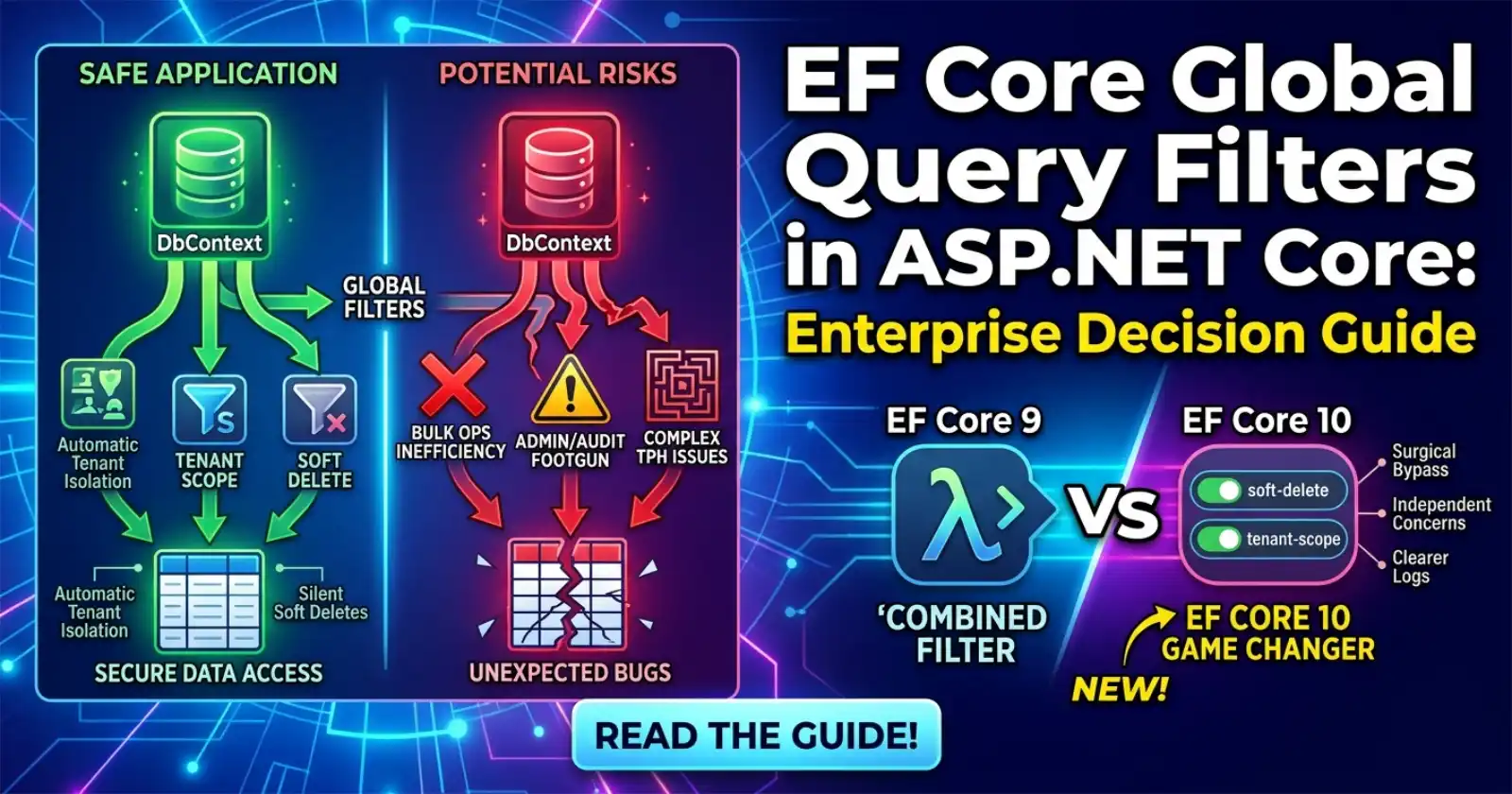
Global query filters in EF Core are one of those features that feel like a perfect fit the moment you discover them — and then quietly cause subtle bugs at scale if you do not understand the full picture. A single call to HasQueryFilter(...) on an entity configuration can silently suppress rows across every query in your application, which is exactly the point — until it is not. Understanding when this behaviour is safe, when it is dangerous, and how the new named filter API in EF Core 10 changes the trade-offs is the kind of architectural knowledge that separates a well-run production system from one full of mystery mismatches between what the database holds and what your API returns.
If you are building production-grade APIs and want to see global query filters wired correctly inside a complete codebase — alongside soft deletes, multi-tenancy scoping, and clean architecture — the full implementation with annotated source is on Patreon, ready to run and adapt.
Understanding global query filters alone is useful. Seeing them configured inside a full production API — alongside the repository pattern, owned entities, and scoped DbContext — is what makes the pattern click. That is exactly what Chapter 3 of the Zero to Production course covers, with source code you can run immediately.

What Are EF Core Global Query Filters?
Global query filters are LINQ predicates attached to an entity type in OnModelCreating. Once registered, EF Core appends that predicate as a WHERE clause to every query that involves that entity — including queries through navigation properties and joins — unless the caller explicitly opts out using IgnoreQueryFilters().
The classic use cases are:
- Soft delete — filter out rows where
IsDeleted = trueso application code never sees deleted records - Multi-tenancy — scope every query to the current tenant's ID automatically, without requiring every repository method to carry the filter manually
- Row-level security — restrict data visibility based on user context (e.g.,
OwnerId == currentUserId)
A filter is registered like this:
modelBuilder.Entity<Order>()
    .HasQueryFilter(o => !o.IsDeleted && o.TenantId == _tenantId);
That single line makes every _context.Orders query safe by default. The problem is that in EF Core 9 and earlier, this is one filter per entity type — combining multiple concerns into a single lambda.
Named Query Filters in EF Core 10 (The Game Changer)
EF Core 10 introduces named query filters. Instead of merging all concerns into one predicate, you can register each filter independently with a name:
modelBuilder.Entity<Order>()
    .HasQueryFilter("soft-delete", o => !o.IsDeleted)
    .HasQueryFilter("tenant-scope", o => o.TenantId == _tenantId);
This has immediate practical benefits:
- Selective bypass —
IgnoreQueryFilters("soft-delete")removes just the soft-delete filter without lifting tenant isolation. Previously,IgnoreQueryFilters()removed everything, which was a footgun in admin and reporting contexts. - Composability — Each filter owns its own concern. Testing, debugging, and disabling filters in specific scenarios become surgical rather than all-or-nothing.
- Clarity in diagnostics — Named filters show up with their name in EF Core query logs, making it easier to trace which filter caused a row to be excluded.
For teams already using global query filters, this is the primary reason to evaluate an EF Core 10 upgrade in this specific area. See the demo in the Coding Droplets EF Core 10 repo for a working example of named filters alongside IgnoreQueryFilters overloads.
For the full specification from the EF Core team: Global Query Filters — Microsoft Docs.
When Should You Use Global Query Filters?
Global query filters are well-suited to scenarios where a filter is universal and non-negotiable across nearly every query on that entity.
Soft Deletes on Core Domain Entities
If your domain requires soft deletion — and most enterprise products do — a global filter is the right tool. Every single query that touches an entity the application considers "live" should exclude deleted rows. This is not a conditional requirement; it is a correctness constraint. Placing it in one location (OnModelCreating) is safer than relying on every developer to include .Where(x => !x.IsDeleted) on every query.
Tenant Scoping in Multi-Tenant APIs
In a shared-database multi-tenant API, the tenant isolation filter is the most critical safety control in your data layer. A global query filter applied to every tenant-aware entity means a missing .Where(x => x.TenantId == currentTenant) in a repository method cannot leak data cross-tenant. The filter is applied by EF Core itself — not by developer discipline.
The filter closes a security gap. It does not replace row-level security at the database level for high-sensitivity scenarios, but for most SaaS APIs it is the right baseline.
Does the Filter Apply to Nearly Every Query?
Ask this before registering a global filter: will there be more queries that need this filter applied than queries that need it bypassed? If the answer is yes — global filter. If bypassing is as common as applying, the filter creates more noise than it removes, and you are better off with an explicit query method or a repository pattern that centralises the concern without making it invisible.
When Should You Not Use Global Query Filters?
This is the section most tutorials skip. Global query filters have real failure modes in production.
Reporting, Admin, and Audit Contexts
Every system has at least one context where soft-deleted data is exactly what you want to query — audit reports, data exports, admin dashboards, GDPR deletion verification. In these scenarios, IgnoreQueryFilters() is the escape hatch. Before EF Core 10, calling IgnoreQueryFilters() removed all filters simultaneously, which meant that in a reporting context you would accidentally lift tenant isolation alongside the soft-delete filter. Named filters in EF Core 10 solve this directly. On EF Core 9 and earlier, the workaround is a separate read-only DbContext for admin scenarios with no global filters registered.
Performance-Sensitive Bulk Operations
Global query filters are applied at the LINQ layer. ExecuteUpdateAsync and ExecuteDeleteAsync (EF Core 7+) do respect global query filters, but there are edge cases with complex filter expressions involving service-injected values or navigation properties that can produce inefficient SQL. For high-throughput bulk operations, verify the generated SQL explicitly — do not assume the filter translates cleanly at scale.
Entities With Complex Inheritance Hierarchies
Global query filters on base entities in table-per-hierarchy (TPH) configurations produce correct but sometimes surprising SQL. When the filter references a property that only exists on some derived types, EF Core adds the discriminator check alongside the filter predicate. Audit this explicitly. If the filter introduces redundant joins or forces a table scan on a large TPH table, move the filter to the repository layer where it can be applied selectively.
Cross-Context Scenarios
If your application uses multiple DbContext types — one for writes, one for reads, one for reporting — global query filters registered in one context do not exist in another. This is expected behaviour but a common source of confusion when teams discover that data visible in the write context is invisible in the read context (or vice versa) because one context has a filter that the other does not.
The Anti-Patterns
Injecting Short-Lived Services Into Filters
A filter lambda runs inside EF Core's query pipeline. If the filter captures an injected service — such as an ICurrentTenantService that resolves the tenant ID — the service lifetime matters enormously. Injecting a transient or scoped service into a singleton DbContext registration causes the classic "Cannot resolve scoped service from root provider" exception. The safe pattern is to inject an accessor that holds the value (a plain string or Guid property populated during the request) rather than a service reference that itself depends on the DI container scope.
Filtering on Navigation Properties
Attaching a global filter that traverses a navigation property compels EF Core to emit a JOIN (or a correlated subquery) on every query for that entity, even when the navigation data is not otherwise needed. This is a silent performance regression that does not appear in query counts — it appears as increased per-query latency at scale. If the filter must reference related data, consider denormalising the filtered value onto the entity itself (e.g., store TenantId directly on the child entity rather than deriving it via a navigation to the parent).
Over-Filtering Lookup and Reference Tables
Not every entity benefits from global query filters. Lookup tables, reference data, and static enumerations typically do not need soft-delete or tenant scoping. Applying a HasQueryFilter to these entities adds overhead — additional SQL predicates — without any safety benefit. Reserve global query filters for the entities that genuinely require universal, non-negotiable filtering.
How Does This Compare to the Repository Pattern?
This is a common architectural question. The short answer is that they are complementary, not competing.
| Concern | Global Query Filter | Repository Pattern |
|---|---|---|
| Enforcement location | EF Core model layer | Application layer |
| Bypass mechanism | IgnoreQueryFilters() |
Separate method / context |
| Visibility | Implicit — applies silently | Explicit — part of method signature |
| Scope | Every query on the entity | Per-method |
| Best for | Safety-critical, universal filters | Business-logic-specific filtering |
A global query filter prevents accidental data leaks. A repository method makes the business intent explicit. Use both: the filter as a safety net, the repository as the authoritative API for data access.
Decision Matrix
| Scenario | Recommended Approach |
|---|---|
| Soft delete on core domain entities | Global query filter |
| Tenant isolation in shared-database multi-tenant API | Global query filter (named in EF Core 10) |
| Reporting or admin queries needing deleted rows | IgnoreQueryFilters("soft-delete") (EF Core 10) or separate DbContext (EF Core 9) |
| High-throughput bulk writes | Verify generated SQL; avoid complex filter expressions |
| Lookup / reference tables | No global filter |
| Cross-context read/write separation | Register identical filters in all contexts, or document absence explicitly |
| Audit trail access in admin panels | Named filter bypass (EF Core 10) or dedicated admin DbContext |
Operational Checklist Before Enabling
Before adding a global query filter to an existing entity in production:
- Audit existing queries — identify any query that currently expects to see filtered rows (admin pages, reports, audit endpoints). Update them to call
IgnoreQueryFilters()where appropriate. - Review generated SQL — use EF Core query logging (
EnableSensitiveDataLogging,LogTo) to verify the filter translates to an efficient WHERE clause. - Check bulk operation compatibility — run a test of
ExecuteUpdateAsync/ExecuteDeleteAsyncwith the filter active and confirm the SQL is correct. - Test the bypass path — ensure
IgnoreQueryFilters()(or named variant) works as expected in all contexts that need it. - Document the filter — add a comment in
OnModelCreatingexplaining why the filter exists and which scenarios require it to be bypassed.
☕ If this walkthrough saved you time, buy us a coffee — every bit helps keep the content coming!
FAQ
What is the difference between a global query filter and a WHERE clause in a repository method? A global query filter is applied by EF Core at the model level, meaning it affects every query touching that entity — including those generated through navigation properties and joins. A WHERE clause in a repository method is explicit and only applies when you call that specific method. Global filters are better for safety-critical, universal constraints (soft delete, tenant isolation). Repository-level filters are better for business-logic-specific data access patterns.
Can I have multiple global query filters on the same entity in EF Core 10?
Yes. EF Core 10 introduces named query filters via HasQueryFilter("name", predicate). You can register multiple filters per entity, each with a distinct name. This allows you to bypass individual filters with IgnoreQueryFilters("name") without removing all filters simultaneously.
Does IgnoreQueryFilters affect navigation property queries?
Yes. When you call IgnoreQueryFilters(), EF Core removes the filters from all entities involved in the query, including those reached via navigation properties or joins. In EF Core 10, named filter bypass is also applied across navigation properties for the named filter you specify.
Will a global query filter impact EF Core's ExecuteUpdateAsync and ExecuteDeleteAsync?
EF Core does apply global query filters to ExecuteUpdateAsync and ExecuteDeleteAsync. This means bulk update and delete operations will only affect rows that pass the filter, which is usually the correct behaviour for soft-delete and tenant-scoped entities. Always verify the generated SQL on complex filter expressions to confirm performance is acceptable.
How do I inject tenant context into a global query filter without causing DI lifetime issues?
The safe pattern is to inject a plain accessor object — typically a class with a TenantId property set during the request — rather than resolving a scoped service directly in the filter lambda. Register the accessor as a scoped service, inject it into the DbContext constructor, and capture the property value (not the service reference) in the filter. This avoids the "Cannot resolve scoped service from root provider" exception that occurs when a scoped service is captured inside a singleton.
Should I use global query filters for row-level security in a high-compliance environment? Global query filters provide application-level row-level security and are appropriate for most SaaS APIs. For high-compliance environments (finance, healthcare, regulated data), they should complement — not replace — database-level controls such as row-level security policies in SQL Server or PostgreSQL. The database-level policy acts as a final backstop even if application-layer code bypasses filters unexpectedly.
What happens to global query filters when using raw SQL queries via DbContext.Database.SqlQuery?
Global query filters do not apply to raw SQL queries executed via Database.SqlQuery or Database.ExecuteSqlRawAsync. These are outside EF Core's query pipeline and bypass all model-level configuration including filters. If you use raw SQL, filtering is entirely your responsibility.




