

EF Core Interceptors in ASP.NET Core: Enterprise Decision Guide
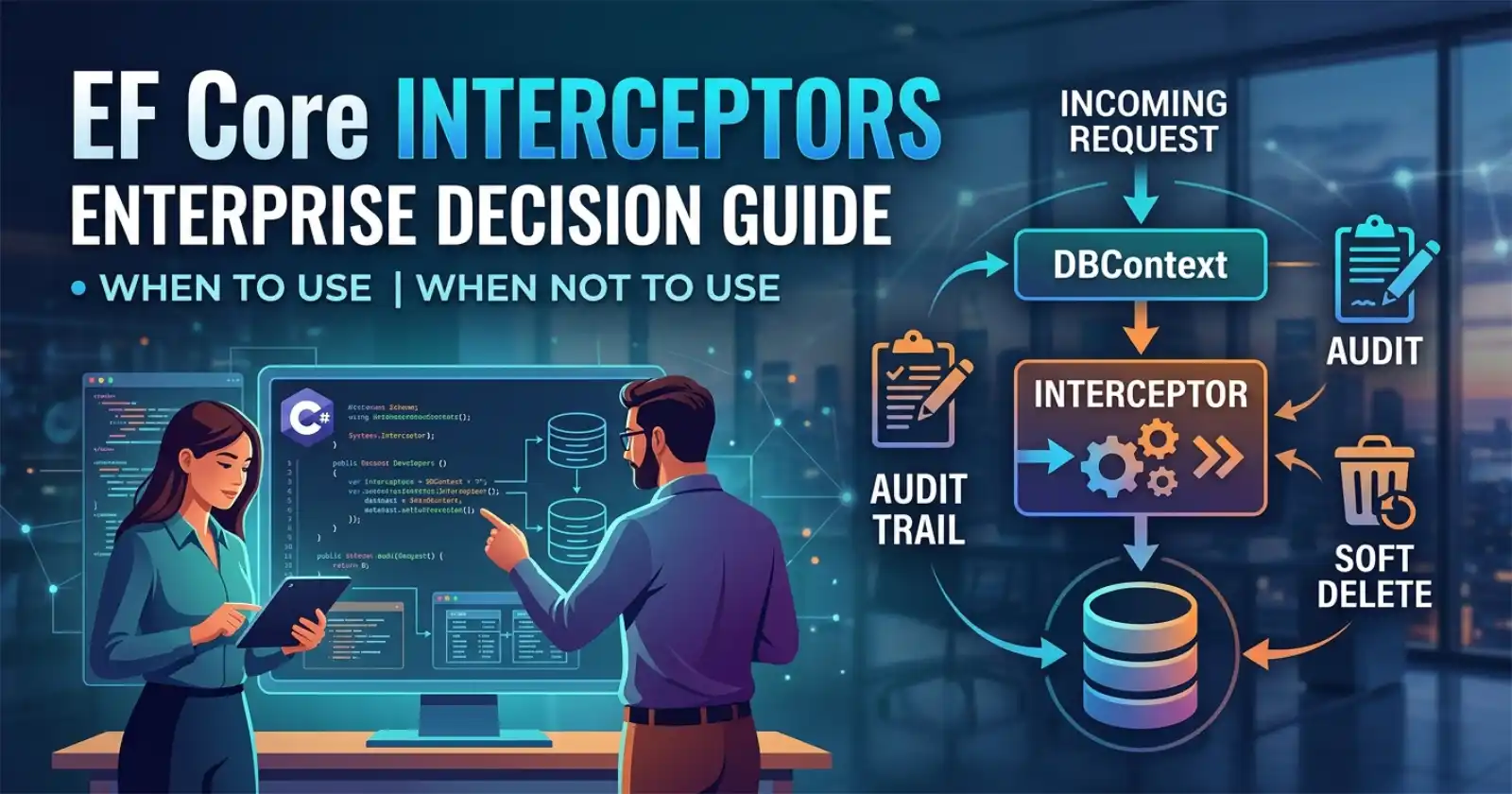
EF Core interceptors sit quietly in most codebases - underused, occasionally misunderstood, and almost always underestimated. Once your team grasps what they actually do and where they pay off, they become one of the cleanest tools in the EF Core toolbox for cross-cutting concerns at the database layer.
For teams building enterprise ASP.NET Core APIs, EF Core interceptors deserve a clear-eyed answer to a simple question: when should you reach for them, and when should you not? If you want to work through these patterns inside a real production codebase - with audit fields, soft deletes, and everything wired together - the complete implementation is available on Patreon, where full source code maps directly to what production teams actually ship.
Understanding interceptors in isolation is useful - seeing them work inside a complete production API, alongside repository patterns, global query filters, and change tracking, is what makes them click. That's exactly what Chapter 3 of the ASP.NET Core Web API: Zero to Production course covers: EF Core beyond the basics, inside a full production codebase you can run immediately.

What EF Core Interceptors Actually Are
Interceptors are hooks that let you observe - and optionally modify or suppress - EF Core operations before, during, or after they execute. They operate inside EF Core's internal pipeline, which means they fire reliably on every operation that goes through your DbContext, regardless of where in your application the operation was initiated.
The official EF Core interceptors documentation covers all available interfaces in detail. In practice, the core interfaces break down by concern:
ISaveChangesInterceptor- fires before and afterSaveChanges/SaveChangesAsync; gives you access to the fullChangeTrackerstateIDbCommandInterceptor- fires at the ADO.NET command level; lets you inspect, modify, or replace the SQL being sent to the databaseIDbConnectionInterceptor- fires on connection open/close eventsIDbTransactionInterceptor- fires on transaction begin/commit/rollbackIMaterializationInterceptor- fires when EF Core materializes query results into entity instances
For most enterprise use cases, ISaveChangesInterceptor and IDbCommandInterceptor are the two you'll actually use. The others are more specialised and rarely needed outside infrastructure-heavy scenarios.
When to Use EF Core Interceptors
Audit Logging Without Polluting Your Domain
The most compelling use case for enterprise teams is automated audit trails. When your DbContext calls SaveChanges, the ChangeTracker holds a snapshot of every entity that's being added, modified, or deleted - including what changed and what the previous values were.
An ISaveChangesInterceptor implementation can capture this state reliably and write audit records as part of the same database round-trip. The important distinction is that this happens inside EF Core's pipeline, not as a separate application-layer concern that developers have to remember to call. You register it once and it runs on every save - regardless of which service, handler, or background job triggered the change.
This is the pattern that keeps audit logic out of your domain services, your CQRS handlers, and your repository implementations. It also means new developers on the team cannot accidentally bypass auditing by forgetting to call an audit method - because there is no audit method to call. See EF Core Global Query Filters in ASP.NET Core for a complementary pattern that works well alongside interceptor-based audit trails.
Soft Delete Enforcement
Teams using soft deletes (a DeletedAt timestamp or IsDeleted flag instead of a physical DELETE) often struggle with consistency. If you enforce soft deletes in service methods or repository implementations, the enforcement is brittle - it depends on every call site doing the right thing.
An ISaveChangesInterceptor can intercept EntityState.Deleted transitions and convert them to EntityState.Modified with the DeletedAt field set, before EF Core generates SQL. The entity never reaches the database as a delete statement. This approach pairs naturally with EF Core Global Query Filters, which filter soft-deleted records out of all queries automatically.
Query Hints and Read Replica Routing
IDbCommandInterceptor fires at the ADO.NET command level, which means you can inspect the SQL text before it executes and append or modify it. This is where teams implement things like:
- Appending
NOLOCKorWITH (NOLOCK)hints to read queries in SQL Server environments where dirty reads are acceptable - Routing read-only queries to a read replica connection string by replacing the connection on specific command types
This is admittedly an advanced use case and comes with sharp edges - particularly for NOLOCK which trades consistency for speed. But when the team has made a deliberate decision to use these patterns, interceptors are the cleanest place to centralise that logic rather than spreading it across every raw SQL call.
Stamping CreatedAt / UpdatedAt Fields
Many teams handle timestamp fields in SaveChangesAsync overrides on DbContext. Interceptors offer an equivalent but decoupled alternative - useful when you have multiple DbContext types or when you want to keep the DbContext class itself minimal. The interceptor pattern makes this reusable across multiple contexts without inheritance.
When NOT to Use EF Core Interceptors
Simple Validation
Interceptors are not the right place for business rule validation. If an entity needs to be in a valid state before being saved, that belongs in your domain model or your application layer - not buried in a database pipeline interceptor where the feedback loop is slow and the error reporting is indirect.
FluentValidation behaviours in a MediatR pipeline (see the Zero to Production course, Chapter 11) are a far better home for this concern.
Logging SQL Queries
EF Core has a first-class SQL logging mechanism built into its options: optionsBuilder.LogTo(...) or Serilog integration via AddDbContext. Using IDbCommandInterceptor to log SQL is technically possible but is documented by Microsoft as the wrong tool for this job - the built-in logging mechanisms are more efficient and better integrated with structured logging pipelines.
Complex Business Logic
If your interceptor implementation is making decisions based on business state, calling other services, or branching on domain concepts - stop. Interceptors have no natural way to surface domain exceptions cleanly, they run in a low-level pipeline where debugging is harder, and they create implicit dependencies that are invisible to the reader of your domain code. Move the logic up the stack.
Performance-Critical Paths
Every SaveChanges call runs through registered interceptors synchronously as part of the pipeline. For high-frequency writes where you're already squeezing out every millisecond - bulk insert scenarios, event store appends, high-throughput metrics writes - interceptors add overhead that may not be acceptable. Use ExecuteUpdate and ExecuteDelete (which bypass ChangeTracker and interceptors entirely) for bulk operations where change tracking and auditing are not required.
The Decision Matrix
| Use Case | Interceptors? | Better Alternative If Not |
|---|---|---|
| Automated audit trail | ✅ Yes | Service-layer audit calls (fragile) |
| Soft delete enforcement | ✅ Yes | Repository overrides (duplication risk) |
| Timestamp stamping | ✅ Yes | DbContext.SaveChangesAsync override |
| SQL query hints (deliberate) | ✅ Yes | Raw SQL / FromSqlRaw per call site |
| Read replica routing | ✅ Yes (with care) | Multiple DbContext registrations |
| Business rule validation | ❌ No | MediatR pipeline behaviour |
| SQL logging | ❌ No | LogTo / Serilog EF Core sink |
| Complex domain logic | ❌ No | Application service layer |
| Bulk write operations | ❌ No | ExecuteUpdate / ExecuteDelete |
Registration and Lifecycle Gotcha
Interceptors are registered as services via AddInterceptors(...) in your AddDbContext call. The key mistake teams make: registering an interceptor as a singleton when it has scoped dependencies.
If your audit interceptor needs to resolve the current user's identity from IHttpContextAccessor (a scoped dependency), the interceptor itself must be registered as scoped and resolved from the DI container at DbContext registration time - not instantiated as a singleton. Singleton interceptors with scoped dependencies will throw InvalidOperationException at runtime.
The correct pattern is to retrieve your interceptor from the service provider inside AddDbContext:
builder.Services.AddScoped<AuditInterceptor>();

builder.Services.AddDbContext<AppDbContext>((sp, options) =>
{
    options.UseSqlServer(connectionString)
           .AddInterceptors(sp.GetRequiredService<AuditInterceptor>());
});
This is one of the non-obvious production issues teams hit when first adopting interceptors - and it's covered in detail in the full implementation on Patreon.
Anti-Patterns to Avoid
Interceptor chains with order dependencies. When multiple interceptors are registered, they execute in registration order. If interceptor B depends on state set by interceptor A, you have a hidden ordering dependency that breaks silently when registration order changes. Design each interceptor to be independent.
Throwing exceptions in IDbCommandInterceptor. If your command interceptor throws an unhandled exception, it surfaces as a database error, not a domain error. This makes error handling confusing and breaks the clean exception hierarchy your global error handler relies on.
Using interceptors as a caching layer. Interceptors run on every operation - not selectively. Building cache-aside logic inside an IDbCommandInterceptor that conditionally replaces database calls with cache reads is possible but creates a hidden, hard-to-test caching layer that is disconnected from your application's caching strategy. Use IMemoryCache or HybridCache explicitly at the service layer instead.
Reading ChangeTracker in IDbCommandInterceptor. IDbCommandInterceptor fires at the ADO.NET level, after EF Core has already generated SQL. At that point, ChangeTracker state may not reflect what you expect for all scenarios. Use ISaveChangesInterceptor when you need entity state - it fires earlier in the pipeline and gives you reliable access to the full change set.
Composability With Global Query Filters
EF Core interceptors and Global Query Filters are complementary, not competing. A common production pattern is:
- Global Query Filter on
IsDeleted- filters soft-deleted records out of all queries automatically ISaveChangesInterceptor- convertsEntityState.Deletedto a soft delete before SQL is generated
Together, they make soft delete completely transparent to the rest of the application. Application code reads and writes entities as if they always exist - the infrastructure layer handles the filtering and the conversion. Developers who join the team do not need to know about soft delete logic in their application service code; it is enforced at the infrastructure layer.
Should You Use Interceptors or Override SaveChangesAsync?
Both approaches work for SaveChanges-level concerns. The practical difference:
SaveChangesAsync override is simple, discoverable, and co-located with the DbContext. It works well for single-context applications where a single team owns the DbContext and audit/timestamp logic is stable.
Interceptors are better when:
- You have multiple
DbContexttypes that share the same cross-cutting concern - You want the concern to be unit-testable independently of the
DbContext - You want the concern to be composable (register different interceptors per environment or feature flag)
- The interceptor has its own dependencies managed by DI
For greenfield enterprise applications, interceptors are the cleaner long-term choice. For existing codebases with established SaveChangesAsync overrides, the migration cost rarely justifies the switch unless you hit a specific pain point.
FAQ
What is the difference between ISaveChangesInterceptor and IDbCommandInterceptor?
ISaveChangesInterceptor fires at the EF Core level - before and after SaveChanges executes, with full access to the ChangeTracker and entity state. IDbCommandInterceptor fires at the ADO.NET level - when the actual SQL command is sent to the database. Use ISaveChangesInterceptor for entity-level concerns (audit trails, soft deletes, timestamps) and IDbCommandInterceptor for SQL-level concerns (query hints, command logging, connection routing).
Do EF Core interceptors work with ExecuteUpdate and ExecuteDelete?
No. ExecuteUpdate and ExecuteDelete are bulk operations that bypass ChangeTracker and the SaveChanges pipeline entirely. They generate UPDATE and DELETE SQL directly. Interceptors registered via ISaveChangesInterceptor will not fire for these operations. If your audit requirements cover bulk updates, you need a separate mechanism - either a database trigger or explicit audit records in the calling code.
Can I use interceptors to implement row-level security in EF Core?
With caution. You can use IDbCommandInterceptor to append WHERE clauses or IDbConnectionInterceptor to set session context for database-level row security. However, EF Core's Global Query Filters are a cleaner and more maintainable approach for most row-level filtering scenarios. Use interceptors for row-level security only when you need to push enforcement down to the database session level (e.g., for SQL Server Row-Level Security with session context variables).
How do I unit test an EF Core interceptor?
Interceptors are standard C# classes that implement an interface - you can instantiate them directly in tests without needing a full DbContext. For ISaveChangesInterceptor tests, you'll want an in-memory SQLite DbContext to exercise the full pipeline. For IDbCommandInterceptor, you can use DbCommandInterceptorTestBase patterns or mock DbCommand. Keeping interceptors small and single-purpose makes them significantly easier to test in isolation.
Will registering multiple interceptors affect performance?
Each registered interceptor adds a small overhead to every covered operation. In practice, the overhead of one or two well-written interceptors is negligible compared to network round-trips and query execution time. The performance concern only becomes relevant for very high-frequency bulk write operations - and in those cases, you typically want to use ExecuteUpdate/ExecuteDelete anyway, which bypass interceptors entirely. Profile before optimising; premature interceptor removal is rarely the right call.
Should every ASP.NET Core API use interceptors? Not necessarily. If your application has no cross-cutting database concerns (no audit logging, no soft deletes, no query hints), adding interceptors for their own sake adds complexity without benefit. Start without them. Add them when you have a specific, well-understood requirement that benefits from centralisation at the EF Core pipeline level. The decision guide above is the right checklist: if the use case fits, interceptors are excellent. If it doesn't, pick a more appropriate tool.
About the Author
Celin Daniel is Co-founder of Coding Droplets with 13+ years of hands-on experience building, shipping, and operating .NET and ASP.NET Core systems in production. The guidance here comes from real projects and production incidents, not theory.
- Website: codingdroplets.com
- GitHub: github.com/codingdroplets
- YouTube: youtube.com/@CodingDroplets




